
The Pokiesok login page accepts a mobile number or username and a 6–20 character password. Australian players can also move directly to registration or use the forgotten-password link from the same screen. The account interface is displayed in AUD and provides access to the game lobby, History, Promo, Live Chat and Setting.
During our check of the supplied login and registration screens, the most important account detail was the mobile-based sign-in flow. Use the same mobile number entered during registration, keep the original password capitalisation and avoid repeated login attempts when the account may be temporarily locked.
| Login item | Details shown |
|---|---|
| Sign-in identifier | Mobile number or username |
| Password length | 6–20 characters |
| New-account route | Register button on the login page |
| Password recovery | Forgot Password link |
| Registration verification | SMS verification code |
| Account currency | AUD |
| Visible account areas | Home, History, Promo, Live Chat and Setting |
| Two-factor authentication | No separate 2FA setting is visible in the supplied screens |
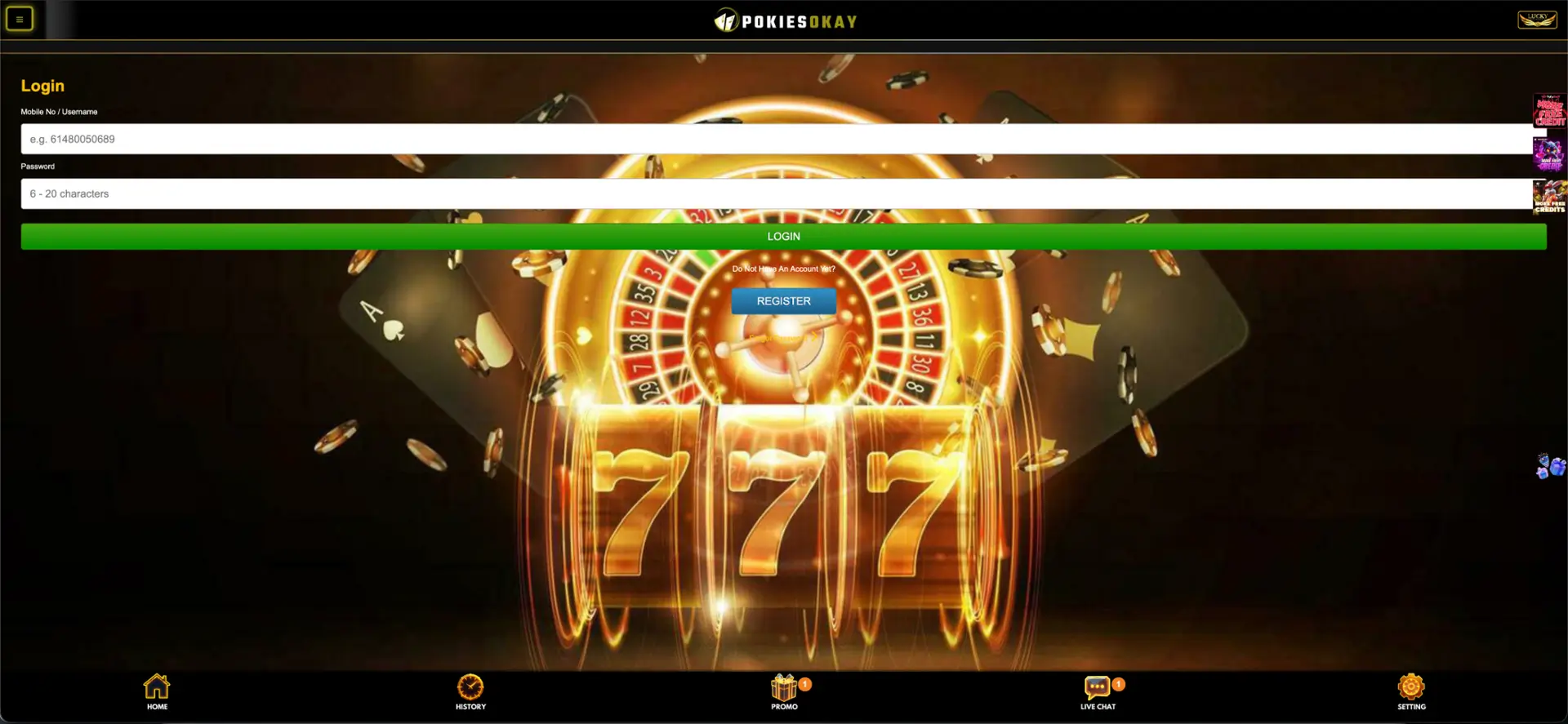
How to complete a Pokiesok login
- Open the confirmed Pokiesok page.
- Select Log In.
- Enter the mobile number or username linked to the account.
- Type the password exactly as created.
- Check for unwanted spaces when pasting details.
- Select the green Login button once.
- Wait for the account lobby to load before refreshing.
Create an account from the Pokiesok login page
Players without an account can select Register beneath the login form. The sign-up page asks for a full name, mobile number, password and optional referrer code. A Get Code button sends an SMS verification code to the mobile number entered.
The full-name field says the name must be the same as the bank account name. Use your legal name rather than a nickname, as inconsistent details may need to be corrected before a withdrawal can be processed.
Secure Pokiesok login practices
- Use a password that is unique to this account.
- Do not share login or SMS codes through Facebook, WhatsApp, Telegram or chat.
- Check the site address before entering a mobile number or password.
- Do not save credentials on a shared mobile or computer.
- Log out after using a public or borrowed device.
- Use a current browser with security updates enabled.
Pokiesok password recovery
The login page includes a Forgot Password link, although the supplied screens do not show the full recovery sequence.
- Select Forgot Password from the login screen.
- Enter the mobile number or username linked to the account.
- Follow the verification prompt displayed by the site.
- Create a new password within the 6–20 character range.
- Return to the login page and sign in with the new password.
Pokiesok login on mobile
No native app download is visible in the supplied material, so browser login is the confirmed route. Open the site in Safari, Chrome or another current mobile browser, then use the same mobile number or username and password as on desktop.
For easier access, an Aussie player can add a browser shortcut to the home screen. Check the address before saving the shortcut, especially when the page was opened from a message or social-media link.
Common Pokiesok login errors
Incorrect mobile number or username
Use the identifier entered at registration. Remove spaces or punctuation that were not part of the original details.
Incorrect password
The password is case-sensitive and must fit the displayed 6–20 character range. Check the keyboard language and Caps Lock setting.
Login button does not respond
Reload the page once, close duplicate tabs and disable extensions that block scripts. On mobile, use a stable Wi-Fi or mobile-data connection.
Page returns to the sign-in form
A blocked cookie or expired session may cause a login loop. Allow site cookies, clear stored site data and try again in a current browser.
Account may be locked
Stop repeated attempts and use Live Chat. Be ready to confirm the mobile number and full name used during registration.
What is available after Pokiesok login?
- Searchable pokies lobby and game categories
- Account balance in AUD
- Deposit, withdrawal and refresh controls
- History and masked transaction activity
- Promo area with free spins, rebates and VIP offers
- Live Chat and account settings
Account verification after login
The supplied pages do not show a complete KYC screen or document list. However, the registration form requires the full name to match the bank account name, which indicates that consistent identity and payment details matter. Check the account or cashier for any verification request before making a withdrawal.
Submit documents only through the secure account area or another route confirmed by Live Chat. Do not send identity documents or SMS codes to an unverified social-media account.
Pokiesok login FAQ
Can I use an email address for Pokiesok login?
The supplied login page asks for a mobile number or username, not an email address.
How long can a Pokiesok password be?
The password field displays a range of 6–20 characters.
Where is the Pokiesok password reset link?
It appears below the Register button on the login page.
Can I register from the login screen?
Yes. Select Register to open the mobile-based sign-up form.
Does Pokiesok login use SMS?
SMS is shown during registration. A separate SMS step for every login is not visible.
Where can I get login help?
Use Live Chat from the fixed bottom navigation.